Your AI housekeeper for home maintenance · runs in Home Assistant
Know what's due. Book it in one tap.
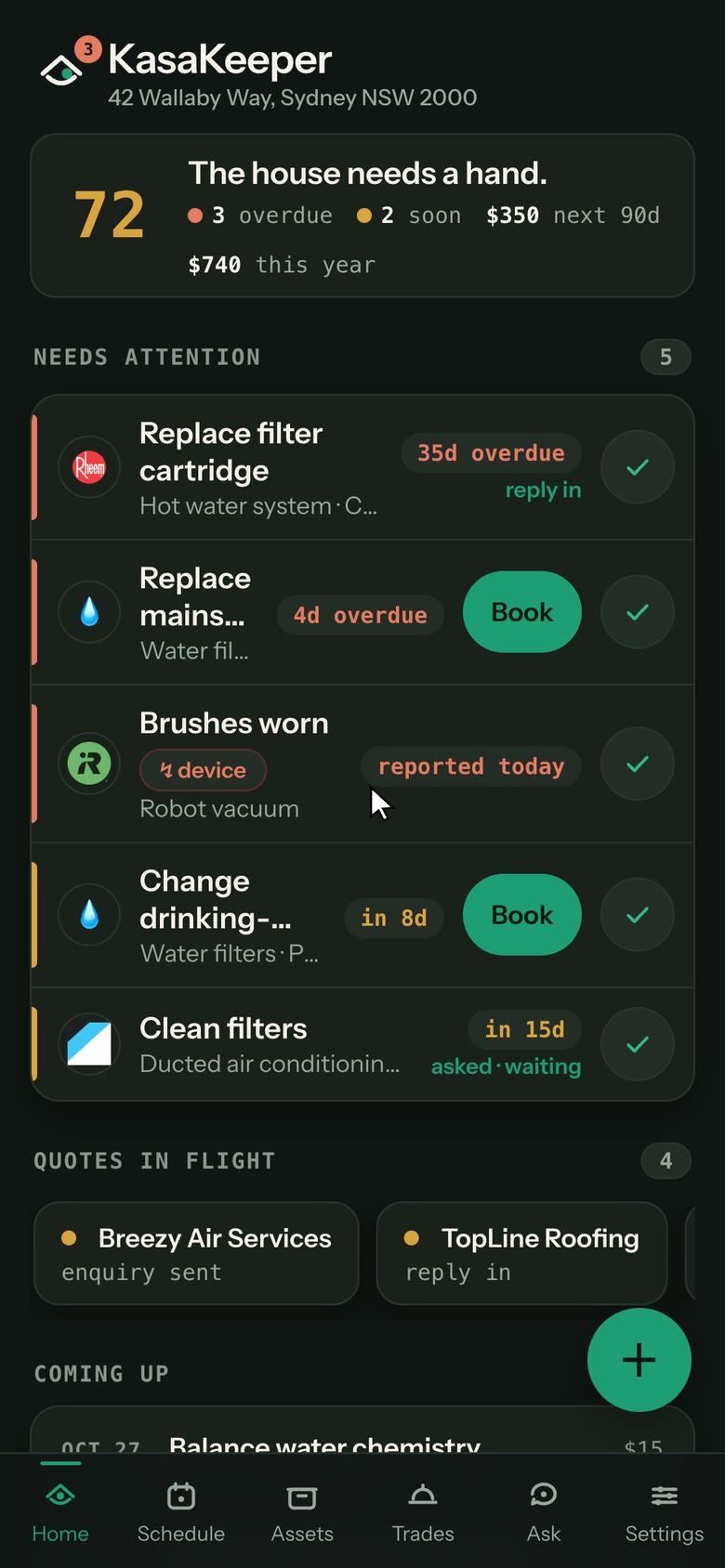
Give it your address and it works out what your house has and when each thing needs servicing. When a job comes due, one tap asks the trade for a price and a date, and their reply fills itself in. Nothing is booked until you pick the date.
Early testing · not open to install yet. No KasaKeeper fee · you pay Anthropic for the AI you use, on your own key.
The full tour · about 3 minutes
The real app, narrated, on the same fictional home. It starts from an address and goes through Home Assistant, a device fault, finding a trade, quotes, the mail scan and Ask. Every AI result on screen is a real one, not a mock-up.
Everything your house needs, in one place
A house is a few dozen things with service intervals, warranties and a trade who knows them. KasaKeeper keeps all of it, and shows you only what needs you.
- Set up
Your address, a nameplate photo, a Home Assistant import.
- Schedule
The maker's intervals, plus run-hours and live readings.
- Comes due
By the calendar, by use, or a device reports a fault.
- Ask a trade ◆
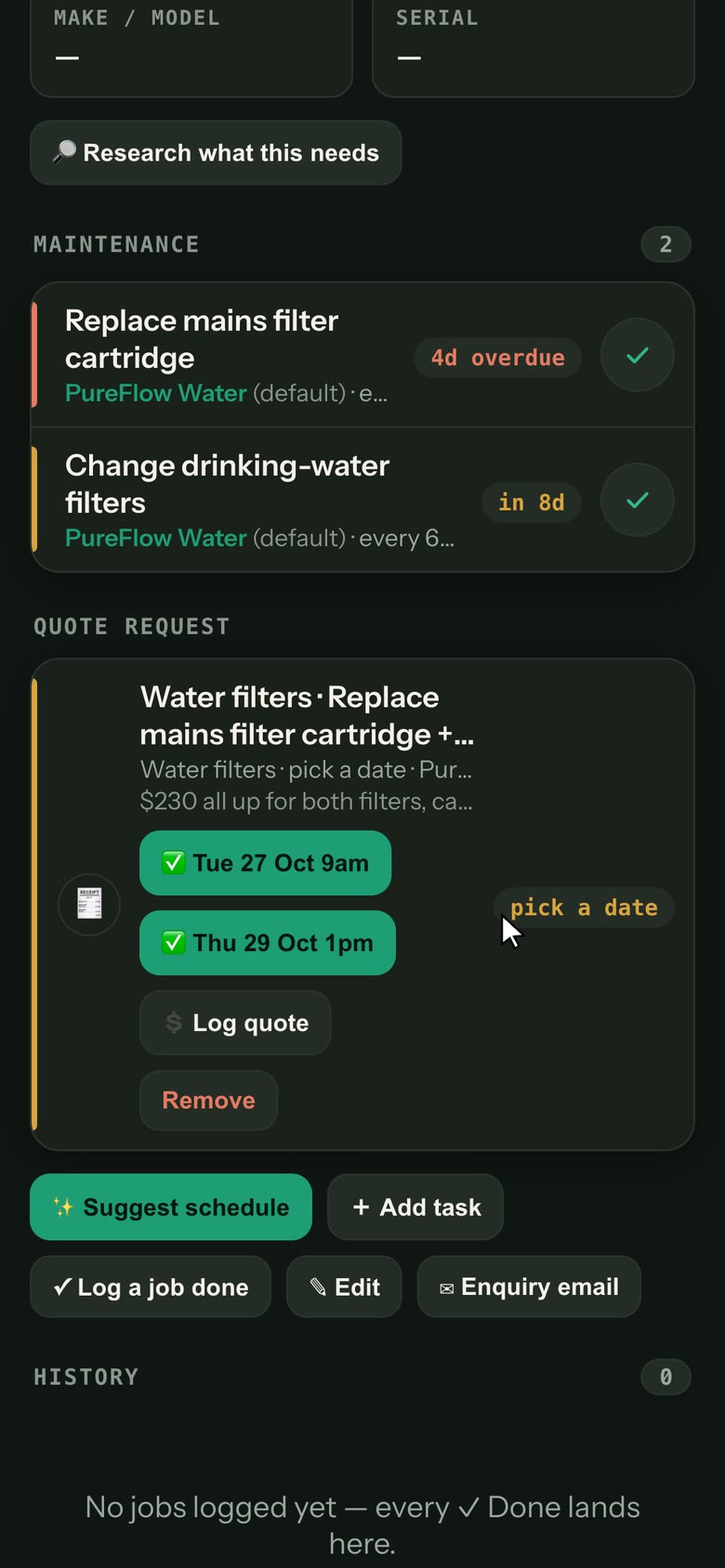
Tap Book, with 5 seconds to Undo. Or approve a drafted quote request.
- Reply read
The price and the dates offered fill themselves in.
- Booked ◆
You tap a date. The confirmation is drafted for you to send.
- Done
One ✓ moves every job on the visit on. The cost is counted once.
↻ the next due date is set, back to step 2
SET UP
Start from an address
It reads public listings and satellite imagery, proposes the pool, solar, gutters and hot water it finds, and you keep what's right.
Snap a nameplate
Photograph an appliance plate. Make, model and serial are read for you, and one tap applies the maker's own schedule.
Import from Home Assistant
Where a device reports its real make and model, KasaKeeper takes the hardware's word over its own guess.
KEEP WATCH
Schedules that follow real use
Run-hours and live readings from Home Assistant drive the reminders, not only the calendar.
Faults become tasks
When a device reports a problem, like a fault code or a filter running low, it turns into a job with the part to order or a trade to call.
Standing arrangements
A weekly cleaner or a lawn contract just happens. It stays off your overdue list and its cost is recorded each visit.
GET IT DONE
Find trades, request quotes
With your Google key it finds local businesses ranked by reviews, and it drafts the enquiry for you to approve.
Replies fill themselves in
A dedicated mailbox reads the reply, pulls out the price and the dates offered, and books with one tap.
Ask the house
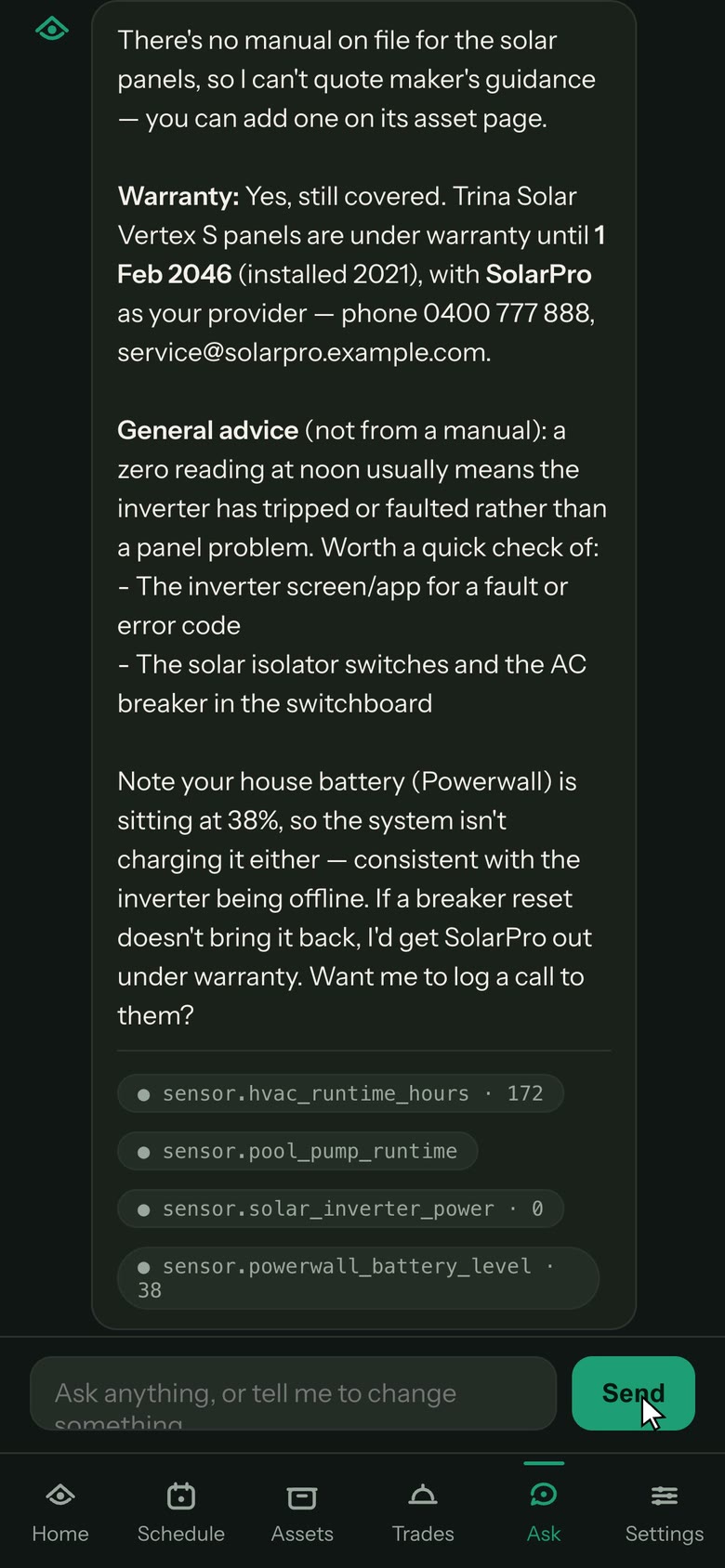
"Is the solar still under warranty?" Answers come from your own records and live readings, and any change waits for your OK.
Built for a glance
Each screen leads with what matters, so you can read it from across the room on a wall tablet or in five seconds on your phone.
What you need
- Home Assistant with appsrequiredHome Assistant OS on a Home Assistant Green or similar box. KasaKeeper installs as an app (Home Assistant called them add-ons before 2026.2) and opens from your sidebar.
- An Anthropic API keyrequiredPowers research, nameplate reading, Ask, recall checks and reading trade replies. You pay Anthropic directly for what you use. There is no KasaKeeper subscription.
- A Google Places keyoptionalRanks local trades by real ratings and reviews. Without it, find-a-service hands you a Google search instead.
- A dedicated Gmail accountoptionalSends your quote requests and reads the replies. Use a new address for trade mail, not your personal inbox.
Where your data goes
- YOUR HA BOX
Every record is stored here. Assets, schedules, history, quotes and costs live in the app's storage and go into your normal Home Assistant backups.
Your keys stay on the server. They are never sent to your browser or written to a log.
- ANTHROPIC your own key
Your address and aerial images for property research, with its web search reading public listings. Nameplate photos and recall checks. Ask questions (each one goes with this home's records so it can answer from them: the address, assets with make, model, location and warranty dates, schedules and estimated costs, trades with their contact details, and quotes). Each trade's reply email, so the price and dates can be read, and the emails a mail scan matches.
api.anthropic.com - OPENSTREETMAP no key
Your address, to find it on the map, and the building outlines around it, when you add a home.
nominatim.openstreetmap.org · overpass-api.de - ESRI ARCGIS no key
Your home's map position, to fetch aerial imagery of it.
services.arcgisonline.com - CLEARBIT no key
A trade's web address or an appliance brand's name, to show its logo.
logo.clearbit.com · autocomplete.clearbit.com - GOOGLE optional key
With your own Google key: trade searches, and a Street View image when you choose a photo of your home. With no key, a trade's or brand's web address goes to Google's icon service when Clearbit has no logo.
places.googleapis.com · maps.googleapis.com · www.google.com - MAKERS' AND SHOPS' SITES
A manual's PDF, or a replacement part's page, fetched from the link research found.
- GMAIL optional
The dedicated KasaKeeper mailbox you set up: quote requests go out and replies are read through it. It never deletes or moves mail.
imap.gmail.com · smtp.gmail.com
Install · once the repository opens
KasaKeeper is distributed as a Home Assistant app repository.
The repository is private while KasaKeeper is in early testing, so these steps are for when it opens.
- Add the repository
Use the button to open your own Home Assistant with the address filled in. Or open Settings · Apps (called Add-ons before 2026.2), select Install app, then ⋮ · Repositories, and paste this address.
Open in my Home Assistanthttps://github.com/OnChain-Tech/kasakeeper-addons - Install KasaKeeper
Find it in the list and select Install. The first build takes a few minutes.
- Add your Anthropic key
Paste it on the app's Configuration tab, or let the first-run wizard walk you through every key.
- Start it
On the app's Info tab, select Start, and turn on Show in sidebar.
- Add your home
Open KasaKeeper from the sidebar, type your address, and keep the systems it finds. Your Home Assistant login is the only sign-in.
Questions
What does it cost?
There is no KasaKeeper fee. The AI features run on your own Anthropic key, so Anthropic bills you for what you use, and that depends on how much research, scanning and asking you do. Google Places and Gmail are optional and have their own terms.
Do I need Home Assistant?
Yes. KasaKeeper is a Home Assistant app, so it needs Home Assistant OS or another install that runs apps. The more devices Home Assistant can see, the more KasaKeeper can watch for you.
Will it email or book trades without asking?
Never on its own, unless you switch on Auto-book for a job. Tapping Book on a due job emails that trade asking for a day, a time and their price, after five seconds in which you can Undo. With Auto-book on for a job, it emails the trade for dates when that job comes due, inside business hours. Either way you pick the date and confirm the booking. Every other email is drafted for you to review and send.
What does the mail scan read?
Only the KasaKeeper mailbox, never your personal inbox. A brand-new mailbox is empty, so the scan finds nothing until you forward trades' emails to it. It always shows a preview first, and every email it matches is sent to Anthropic to be read.
Does it work on my phone and wall tablet?
Yes. Phone, wall tablet and web browser all show the same house, kept in sync through your Home Assistant. You can add it to your phone's home screen like an app.
Can it look after more than one home?
Yes. Add a second home, like a rental or a parent's place, and switch between them. A home without Home Assistant still gets schedules, trades and quotes.
Is the house in the tour real?
No. Both tours and the screenshots use a fictional demo home with made-up trades, so no one's real address or records appear. In the full tour, the mail scan reads a demo mailbox of sample trade emails. The app, the Home Assistant screens and every AI answer are real.